
Improve your ServiceNow Support Experience
Satisfaction serves as a driving force and effective support enables that. If you are within the ServiceNow ecosystem, then you are certainly equipped with a powerful platform that manages support and service requests. But having the platform is just the first step. In order to maximize customer satisfaction, it is essential to know how to use ServiceNow to effectively meet the customer needs.
This will provide tips and best practices for managing ServiceNow customer experience with respect to you and your customers.
-
Understand the Journey
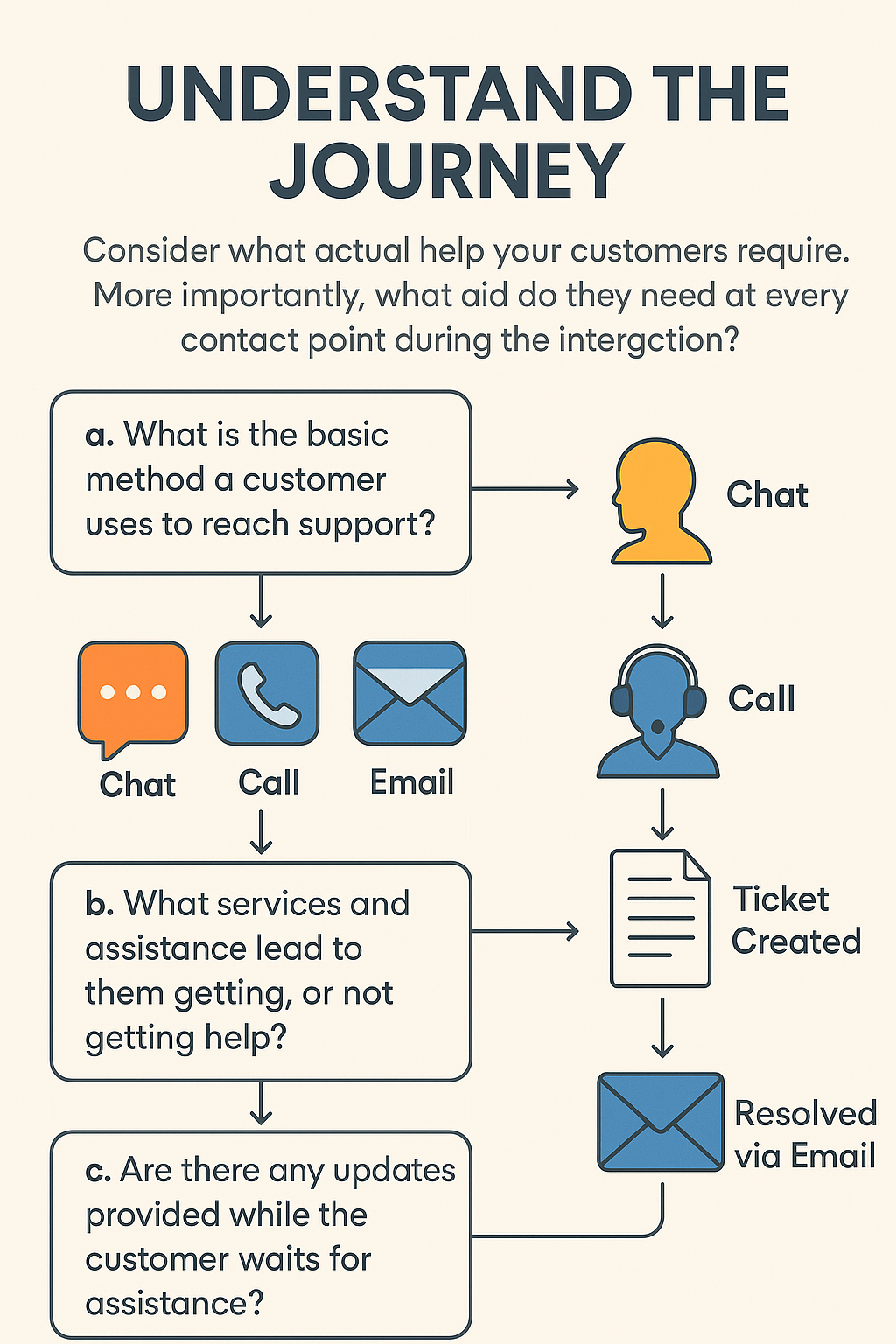
Consider what actual help your customers require. More importantly, what aid do they need at every contact point during the interaction? Critical questions to evaluate include:
a. What is the basic method a customer uses to reach support? Is it through email, live chat or call?
- What services and assistance lead to in them getting, or not getting help?
- Are there any updates provided while the customer waits for assistance?
All customers have a preferred method of contacting support, be it chat, call, or email, and their individual journeys often differ from one another. In customer journeys defined by these touchpoints, there are always a wealth of opportunities. Customers are actively seeking new ways to simplify their attempts for help. Consider automatically status update program services provided by ServiceNow.
-
CUSTOMER SERVICE PORTAL
On ServiceNow’s Customer Service Portal, customers have access to a range of self-service and support options. They can report issues directly to the support team and track the status of their cases in real time, ensuring transparency and timely updates. The portal also provides a rich library of helpful articles and knowledge resources to assist with common questions and troubleshooting. Additionally, customers can engage with support through live representatives or interact with a virtual assistant for quick, automated help.
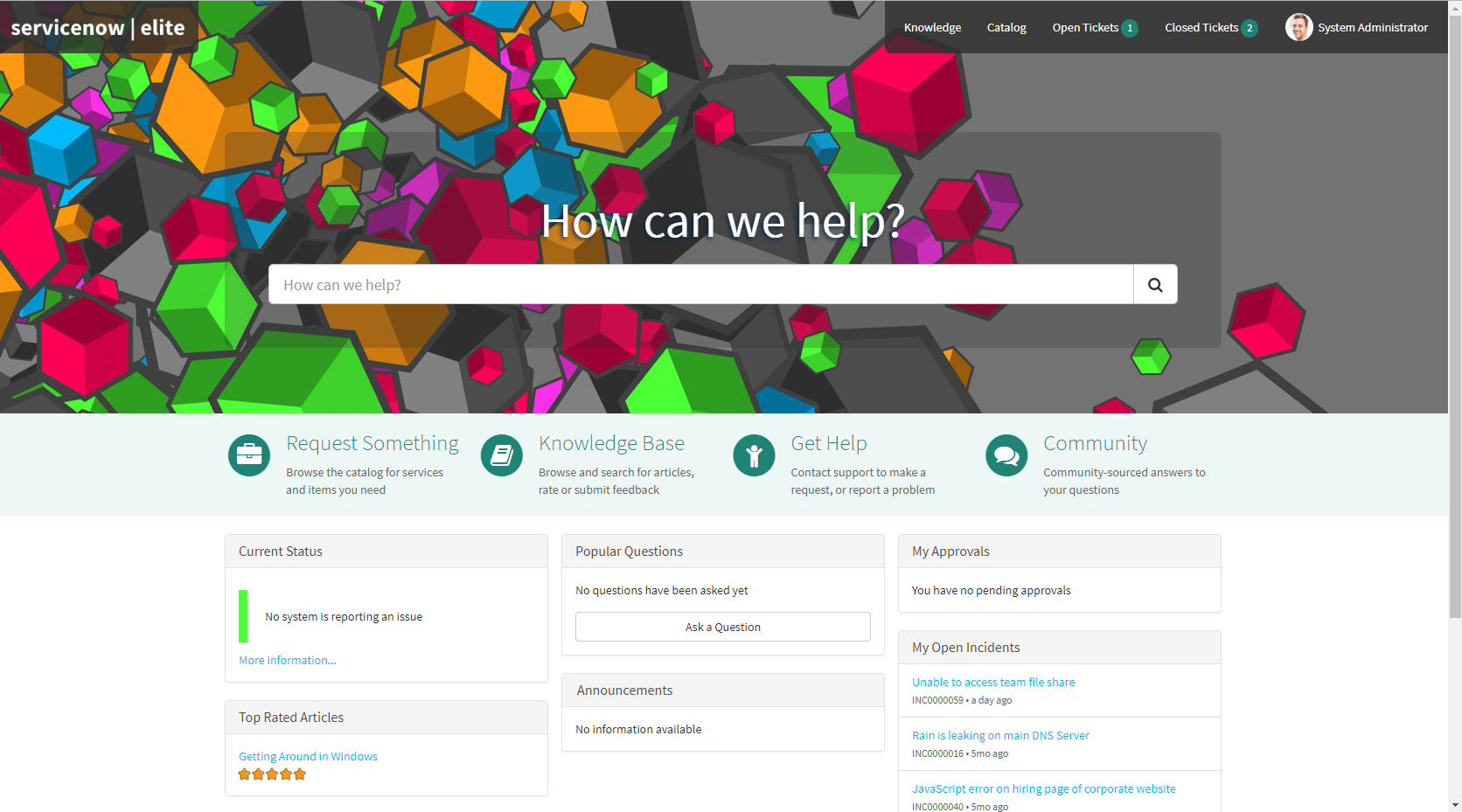
In addition to customization, ensure that this portal is user friendly. It is critical that the customers are able to easily access everything that they require. Users will often be able to resolve issues on their own due to an efficient search function and a user-friendly interface, sometimes even without needing to contact support.
-
INSTALL A VIRTUAL AGENT (CHATBOT)
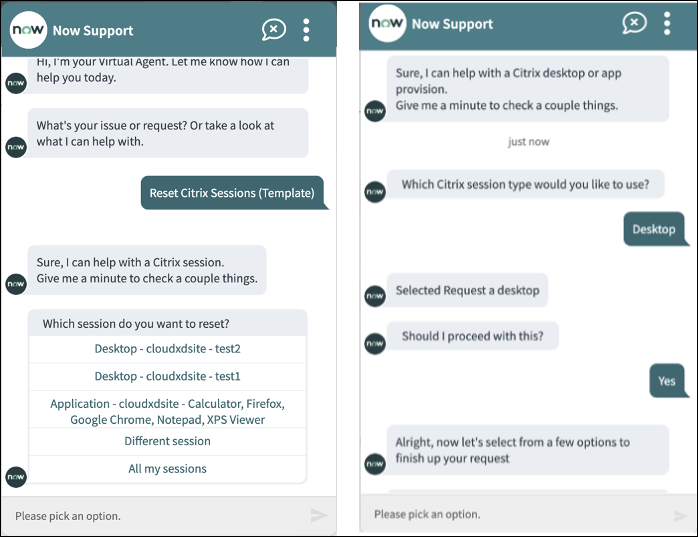
ServiceNow’s Virtual Agent is a smart, conversational chatbot that helps users quickly find solutions to common problems. It’s designed to handle everyday requests like answering routine questions, helping with password resets, checking the status of existing cases, and walking users through standard procedures. When the issue is more complex, the Virtual Agent can seamlessly connect users to a live support representative. By taking care of repetitive tasks, it saves time for both users and support teams, making the overall support experience faster and more efficient. For example:
- Reset passwords
- Answer FAQs
- Check case status
- Create new requests
This is especially useful after hours when repetitive requests come in. Customers receive immediate assistance, and your support team finds the time to attend to complex situations.
-
MAKE WORK EASIER FOR YOUR SUPPORT TEAM
When support teams have the right access and insights, they can deliver their best work. ServiceNow’s Agent Workspace brings all essential tools together in one place, making it easier for agents to stay organized and focused. They can quickly view case histories, check previous customer interactions, access useful articles, kick off workflows, and collaborate with teammates—all from a single interface. This setup not only helps agents respond more quickly and accurately but also leads to a better, more responsive experience for customers.

-
PREDICTABLE WORKFLOW AUTOMATION
Many routine support activities can be automated through ServiceNow. Some tasks that can be automated include:
- Cases being assigned to the appropriate agent
- Providing updates to the customers through emails, or other communications.
- More serious matters can be escalated for urgent attention.
- Following Schedule appointments
Since agents are no longer required to perform all tasks manually, automation will eliminate both effort and mistakes. Therefore, all customers will receive assistance on time.
-
BUILD A HELPFUL KNOWLEDGE BASE
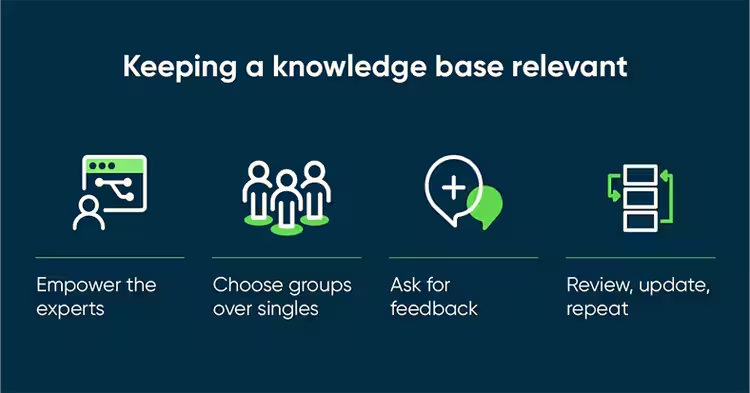
A Knowledge Base is a helpful resource made up of articles or documents that explain common problems and how to fix them. Regularly updating and managing this content is important to keep ServiceNow running smoothly. By creating simple, easy-to-understand guides—with visuals, step-by-step instructions, FAQs, and troubleshooting tips—you give customers the tools they need to solve many issues on their own. This not only makes things easier for users who may not be tech-savvy but also frees up your support team to focus on more complex requests, improving the overall support experience for everyone.
-
Improve your Business using PA (Performance Analytics)
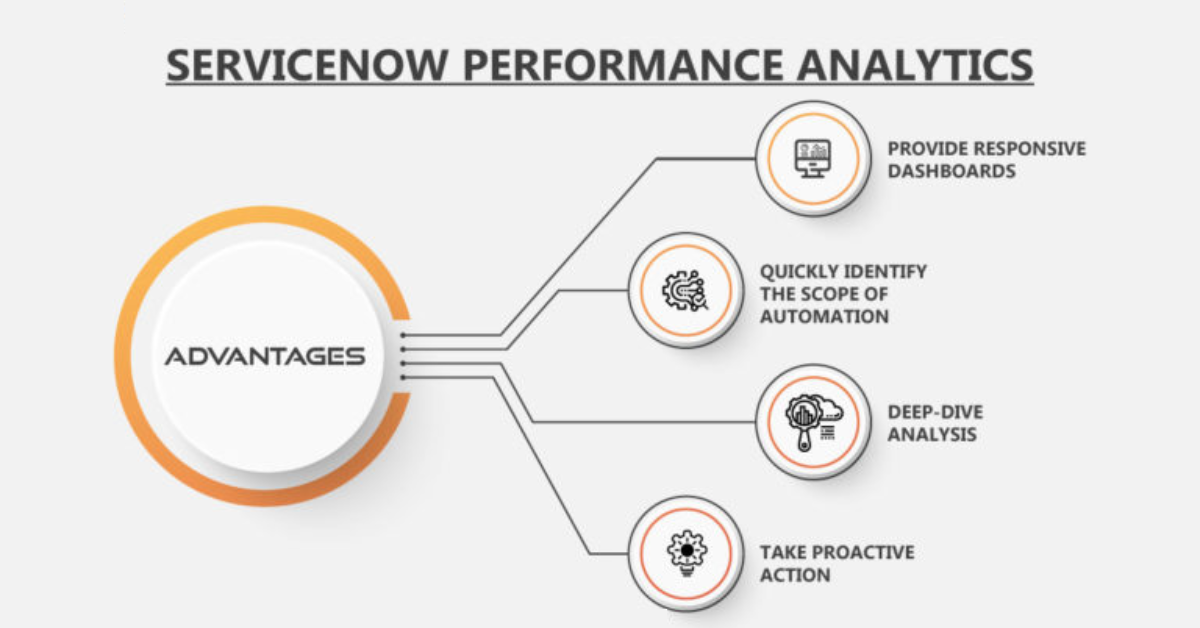
Performance analytics allows you to self-service your performance management using ServiceNow. You can track:
- How long it takes to resolve an issue.
- Customer satisfaction (From surveys)
- Number of cases opened / incoming caseload aggregated on a daily basis.
- If your team is meeting SLAs.
Make use of this data to search for value creation opportunities. For example, if some tools are taking longer than others to complete, perhaps your team requires better equipment or training in that field.
-
ASK CUSTOMERS FOR FEEDBACK
ServiceNow can send a survey to the customer for feedback upon case resolution. You can ask:
- “Were you satisfied with the support?”
- “Was your problem resolved quickly?”
Act on this feedback because it is crucial. If customers are thoroughly unhappy, ensure that you look for the root cause and eliminate it. That caring disposition enables customers to appreciate your services—and helps your team to become better.

-
CONNECT WITH OTHER TOOLS
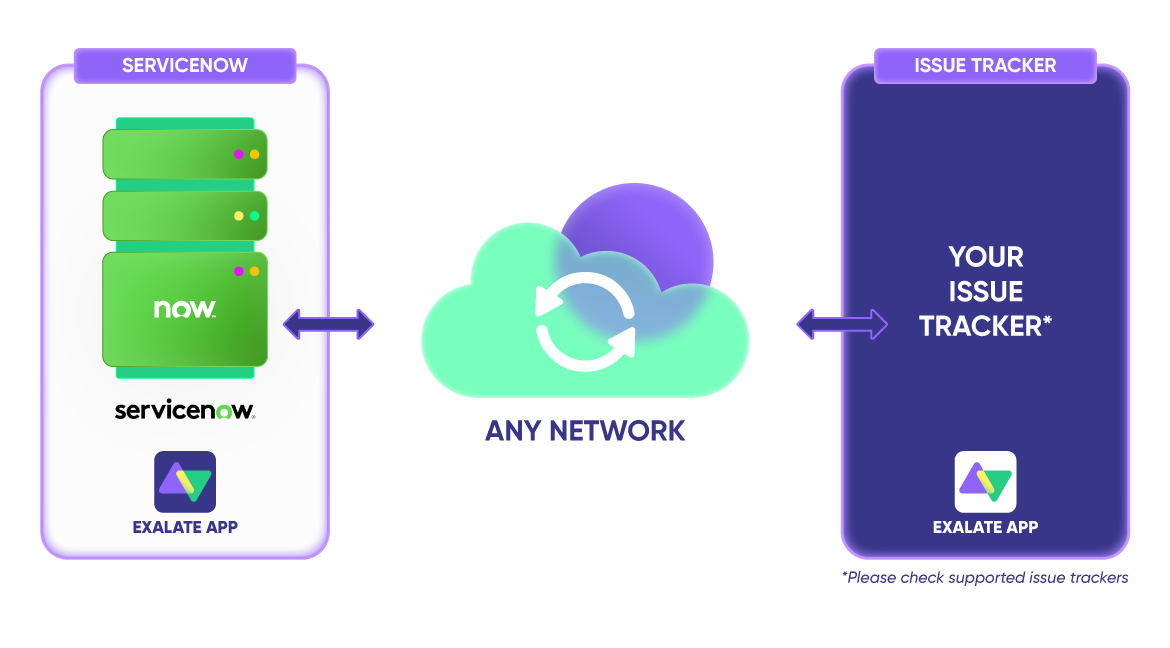
This other software can also be integrated with ServiceNow:
- CRM’s (Salesforce for example)
- Billing tools
- Slack and Microsoft Teams
Now agents have access to all pertinent information regarding their customers including order history and previous customer issues all in a singular view. This eliminates the redundancy of spending time asking customers repetitive questions.
-
EDUCATE AND ASSIST YOUR AGENTS
Even with the best tools in place, proper training is essential for your support staff to perform at their best. It’s crucial to ensure they fully understand how to:
- Understand the platform.
- Communicate effectively and empathetically with customers
- Follow established processes and workflows accurately
- Utilize knowledge base articles to provide timely assistance
- Acknowledge when and how to diverts issues to the respective teams
With the right training, your agents will feel more confident and capable, allowing them to provide efficient and high-quality support.

FINAL THOUGHTS
Enhancing your ServiceNow customer support doesn’t have to be a difficult process. With a few smart, simple tweaks, you can greatly improve the way customers view your service. Begin by making the customer experience as seamless as possible with a straightforward, easy-to-navigate portal. Consider implementing a chatbot, like the Virtual Agent, to handle quick inquiries and provide instant responses.
Automating routine tasks can free up time and streamline operations. Build a useful knowledge base that allows customers to find answers on their own when needed. Make sure to regularly gather feedback from your customers and use that to finetune and enhance your service.
By integrating ServiceNow with other tools your team already uses, you can simplify workflows, and investing in comprehensive training for your agents will ensure they feel both capable and confident.
When customers receive quick, efficient service, it leaves a lasting impression and fosters greater loyalty, helping to build long-term relationships with your brand.


