Configuration Items in ServiceNow — Understanding the Backbone of IT Visibility
It’s quite likely that if you have used ServiceNow even for a short period of time, you have come across the term “Configuration Item” or “CI.” While it is true that this term is used frequently within ServiceNow, it is also true that it is something that is easy to gloss over when dealing with other terms such as incidents, requests, and so on. However, when you actually understand what a CI is, you will find that a lot of other aspects of ServiceNow make a lot more sense.
In short, when you understand configuration items, you will find that a number of other aspects of ServiceNow make a lot more sense.
What Is a Configuration Item, Really?
Rather than diving right into the definition, it’s easier to think about what a configuration item is in relation to how it’s used.
CI stands for “anything in the IT environment that needs to be managed.”
This could be:
- A laptop computer assigned to someone in the company
- A server running applications that are mission-critical
- A database holding customer information
- A device on the network, such as a router or switch
- Even a software application
If it’s significant to the organization and needs to be monitored, it’s a CI.
ServiceNow holds all this information in a database called the CMDB (Configuration Management Database). The CMDB is merely a container holding the CIs. The actual value comes in the information stored in the database, which is made up of CIs.
Why Configuration Items Matter More Than You Think
It’s quite easy to think of CIs as something that can be ignored in the early stages. A lot of teams only really think about ticketing and workflows. But without proper CI information, they’re really not functioning in any kind of cohesive way.
For example, if an incident is raised because a server is down, ServiceNow can tell you:
- What application is running on that server
- Who is impacted by that server being down
- What other servers are dependent on that server
- Who is responsible for that server
Without that information, you’re really only reacting to problems.
That’s really the big difference. CIs make your system reactive instead of informed.
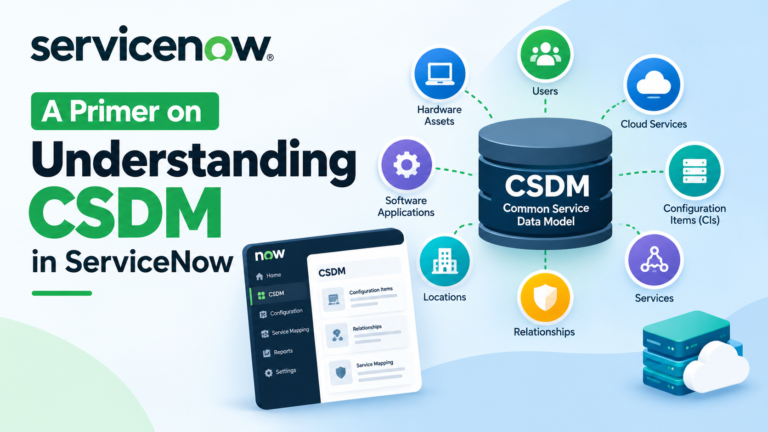
The Role of CMDB in All This
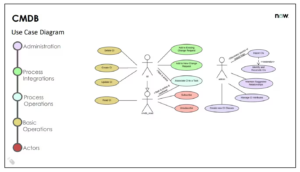
The CMDB is where all CIs live. But it’s not just a big table. It’s actually designed so that different types of CIs can exist in a kind of hierarchy.
For example:
- Hardware CIs – Servers, laptops, network devices
- Software CIs – Applications, databases
- Service CIs – Business services, technical services
Each category has its own attributes, yet they all stem from the same basic concept – keeping track of what you have in your environment.
If you have a good handle on this structure, it can be incredibly powerful. If you don’t, it can very quickly turn into chaos.
Relationships Between Configuration Items
Perhaps one of the more powerful things you can do with CIs is understand how they relate to each other.
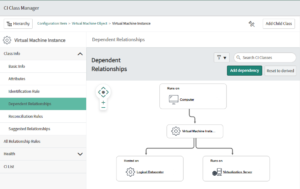
Generally speaking, a CI doesn’t exist in isolation. You might have a server with an application on it, which in turn communicates with a database, which supports a business service. All of these things are connected.
ServiceNow allows you to establish these relationships so you can understand how all these things are connected.
This can be especially powerful in the event of an outage. Rather than asking, “What’s broken?” you can ask, “What is impacted because this is broken?”
Where You See CIs in Everyday Work
You might not be responsible for managing your CMDB, but you probably interact with configuration items in your daily activities more than you think.
You will come across configuration items in:
- Incident forms (the “Configuration Item” field)
- Change requests (what system is being modified)
- Problem records (what CI is being impacted repeatedly)
- Asset management (physical devices being tracked)
Every time you choose a CI in one of these forms, you’re linking it to an actual device in your network.
This is where ServiceNow is able to add context, not just data.
Keeping CI Data Accurate – The Real Challenge
While creating configuration items is not really hard, keeping them accurate is where organizations tend to struggle.
Change is an inevitable part of IT. Over time, your infrastructure changes:
- Servers get added
- Servers get removed
- Applications get upgraded
- Applications get replaced
If your CMDB is not kept accurate, it becomes essentially useless. If it becomes useless, it becomes ignored. If it becomes ignored, it becomes worthless.
Because of this, many organizations invest in discovery tools to keep CI information accurate. These tools automatically update CI information, making it closer to reality.
But discovery tools alone are not enough. There needs to be ownership.
A Simple Example That Shows the Value
Let’s assume that the business application has stopped working.
If there are no CI relationships in the system, the IT team may waste several hours trying to identify the source of the problem. Is the problem in the application? Maybe the problem is in the database? Maybe the problem is with the server?
Now, assume the same situation but with a well-maintained CMDB:
- The application CI has a relationship with the server
- The server CI has a relationship with the database
- The relationships show the whole chain
In a matter of minutes, the IT team can identify the source of the problem.
This is the level of clarity that is provided by the configuration items in the system.
Why Many Teams Underestimate the Value of CIs
One of the reasons why the importance of CIs is underestimated is the fact that they don’t offer instant gratification. It does require some effort and some time to set up the CMDB system. In addition, the benefits may not be clearly visible in the beginning.
However, when the system is built and the complexity is increased, the lack of correct CI information is clearly visible.
It is one of those things where it is hard in the beginning, but it is worth it in the end. And when it is worth it, it is a big deal.
Making CIs Work for You
If you are a ServiceNow user, you might be trying to get more out of your configuration items. Here are a few things that you might find helpful:
- Take it one step at a time, don’t try to do it all at once
- Prioritize your critical systems first
- Make sure that relationships are easy to understand and meaningful
- Make sure that you clean up your data regularly
- Make sure that teams are using CI fields effectively
You don’t need a perfect CMDB right off the bat. You just need a good one that is getting better.
Final Thoughts
Configuration items are not necessarily one of the more exciting features of ServiceNow, nor do they necessarily get a lot of attention in comparison to things like workflow or automation. They are, however, one of the things that everything else is built on.
When you pay attention to your configuration items, your ServiceNow is a more intelligent system. When you don’t, it feels like a bunch of separate things.
In a way, configuration items are the key to ServiceNow not just being a ticketing system, but an IT management platform.
Once you start to see how everything relates to a CI, you can understand how they were never just background information, but the framework holding everything together all along.