Open Submission in ServiceNow – Giving Every User a Voice
One of the quiet strengths of ServiceNow is how easily it adapts to the people who use it. Some features are designed to automate complex workflows, others to tighten control, and a few simply exist to make life easier for everyday users.
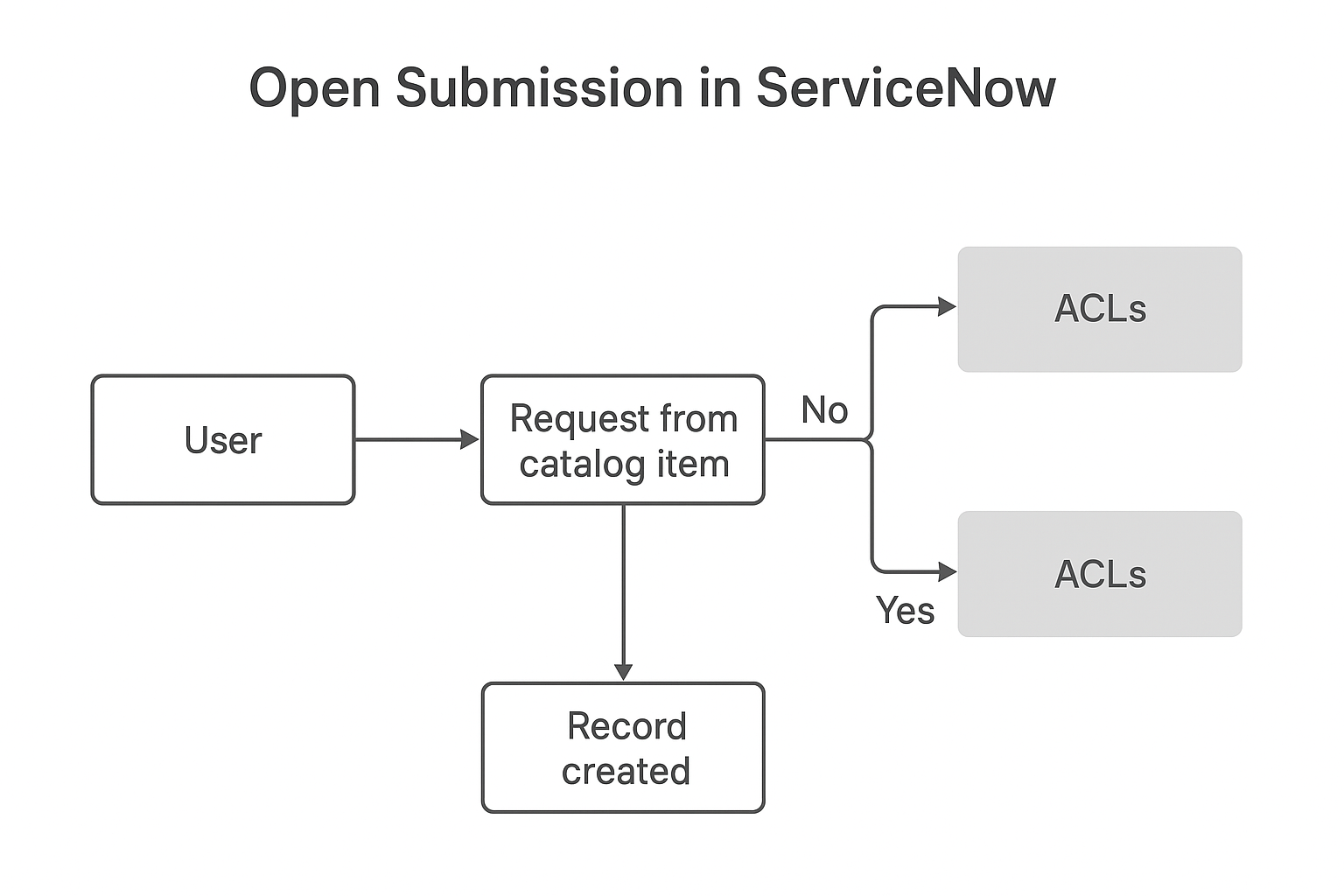
Open Submission belongs to that last group. It’s not flashy, but it changes how people interact with the platform.
When you enable open submission, you basically tell the system: “Let anyone who needs help raise their hand.” It’s about inclusion, transparency, and speed — all things that modern service management depends on.

A Small Setting with a Big Purpose
Inside ServiceNow, most forms and records follow strict access rules. Normally, only users from a certain group can create or submit requests for a specific service catalog item.
That makes sense for sensitive areas like finance or security.
But for everyday tasks — password resets, facility issues, HR questions — those walls slow things down.
Open Submission is a switch that lifts those barriers.
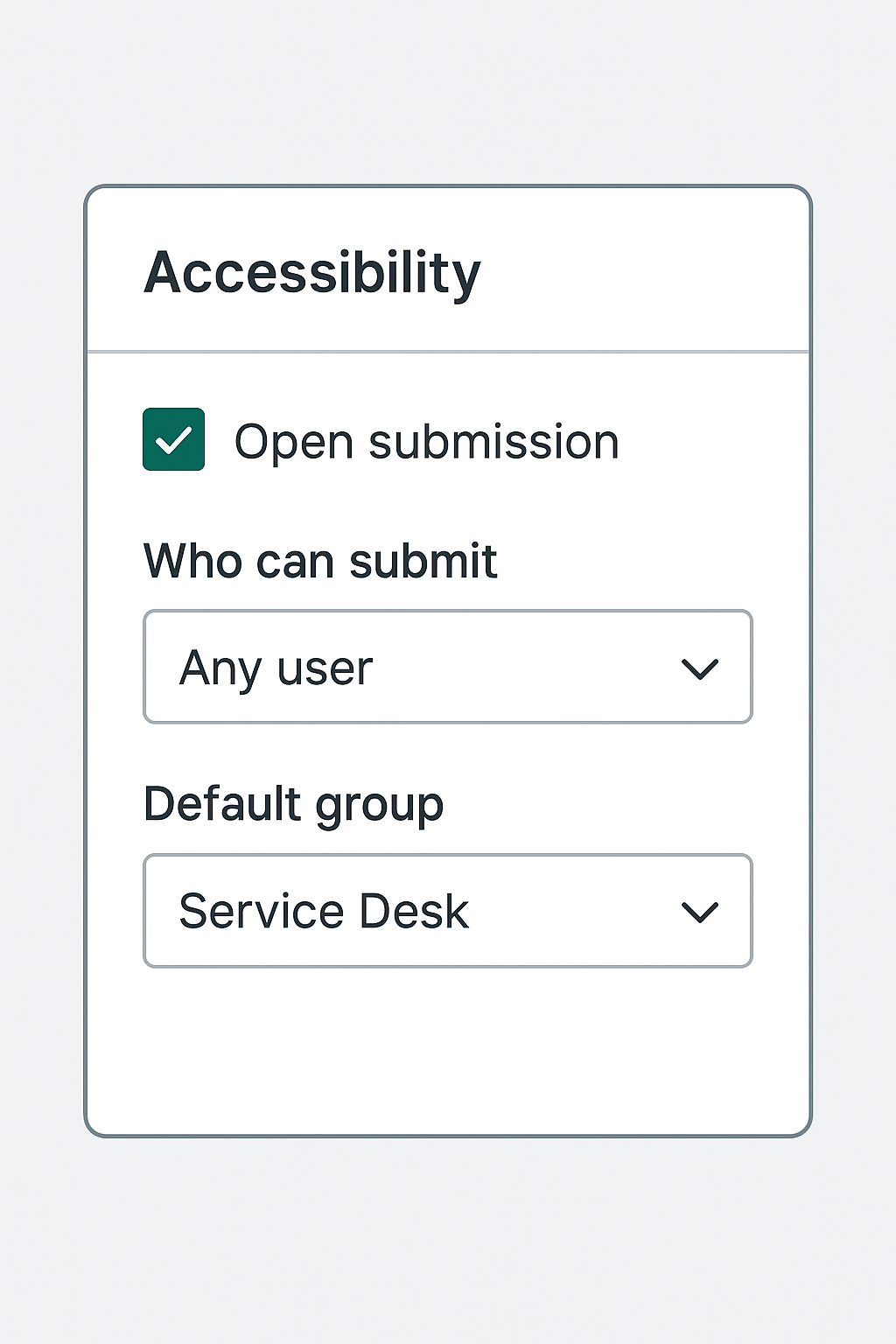
It lets any authorized user submit a record, even if they don’t belong to the item default group.
The record still respects every access control rule after creation; it’s just that the “door” to start the process stays open.
I once saw a company where this single setting reduced internal email tickets by almost half. People no longer waited for a technician to give permission — they could simply submit and move on. The workflow took care of the rest.

How It Actually Works
Behind the scenes, every ServiceNow table (Incident, Problem, Change, etc.) has access rules that define who can create, read, update, or delete.
When open submission is turned on for an item or record producer, it overrides the “create” restriction for general users.
So even someone outside the support group can open a ticket.
This doesn’t mean anyone can see or edit everything.
After submission, ACLs (Access Control Lists) step back in and make sure the user only sees what they’re allowed to.
The feature adds convenience without risking a data leak.
You’ll find open submission most often in Service Catalog items, HR Service Delivery, and Facilities Management modules — basically anywhere a wide audience needs to raise requests without friction.

Why It Matters
It’s tempting to think of open submission as a minor configuration, but it directly shapes how employees experience the system.
- Simpler onboarding for new users
New employees don’t need to know which group handles what they do. They just fill out a form and submit it.
That sense of freedom encourages use, which is exactly what IT teams want from a self-service portal.
- Less administrative overhead
Without open submission, admins often spend hours assigning users to groups just so they can log tickets.
One global instance I worked on had thousands of rotating contractors — open submission saved weeks of repetitive updates.
- Faster turnaround
The fewer permission checks you insert before a request starts, the faster the response cycle becomes.
The team receives tickets immediately, instead of dealing with delayed or mis-sent emails.
- Better accountability
Each submission automatically captures who created it, when, and from which domain or department.
That record becomes part of the workflow history, which helps in audits and reporting.
Keeping It Under Control
With any feature that opens access, balance is key.
If every form in ServiceNow were open to everyone, the platform would drown in irrelevant entries.
That’s why experienced admins use open submission carefully — enabling it only where the business truly benefits.
A good rule of thumb:
- Enable for high-volume, low-risk areas (like IT incidents or facility requests).
- Keep it off for confidential processes (like payroll, legal, or vendor management).
Even when it’s active, category routing and approval flows help filter noise.
For instance, all “hardware” requests can automatically route to one team, while “software” ones go elsewhere — no manual triage needed.
Practical Tips from Real Use
After working with a few ServiceNow environments, I’ve learned that open submission works best when it’s part of a broader design, not just a toggle.
Here are habits that keep it efficient:
- Announce it. Let users know that they can now submit directly. Many people hesitate simply because they think they can’t.
- Use simple forms. The more fields a form has, the less likely someone is to finish it. Keep open submission forms short and clear.
- Add validation scripts. A few client scripts can check whether required fields are filled before submission, keeping data quality high.
- Monitor trends. Watch which services receive the most open submissions. That pattern often reveals which departments need better automation next.
- Review regularly. As processes evolve, confirm that open submission still fits the purpose — sometimes rules need tightening again.
The Human Side of It
Technology can either close doors or open them.
Open submission is ServiceNow’s subtle reminder that good systems should invite participation, not restrict it.
When employees can raise issues without waiting for permission, they feel heard.
It builds trust between users and IT teams. Instead of feeling like they’re talking to a machine, they feel part of a community that’s solving problems together.
I’ve noticed that organizations that embrace this feature often show higher self-service adoption and fewer frustrated internal emails.
The platform feels less like a ticketing tool and more like a digital helpdesk that genuinely listens to.
When to Be Careful
There are still cases where you might skip it.
If your instance handles classified data, regulatory compliance, or external customer information, full open submission may be too risky.
In such cases, consider partial access — allow submission through a controlled portal or restrict by department.
The beauty of ServiceNow is flexibility. You can fine-tune access so that one department uses open submission while another keeps it limited.
It’s rarely all or nothing.
Looking Ahead
As ServiceNow continues to evolve, features like open submission are becoming the foundation of self-service culture.
Future updates will likely include smarter request routing, automatic spam detection, and AI-assisted categorization — all building on this open model.
The direction is clear: make enterprise tools friendlier, faster, and more human.
Final Thoughts
Open Submission might seem like a small checkbox buried in a catalog item’s settings, but it represents something much bigger — trust in your users.
By enabling it wisely, companies simplify workflows, cut delays, and strengthen collaboration between teams.
The lesson here is simple: control is important, but freedom drives engagement.
Give people the ability to submit, speak, and participate — and the platform will naturally do what it was built for: making workflow better for everyone.


