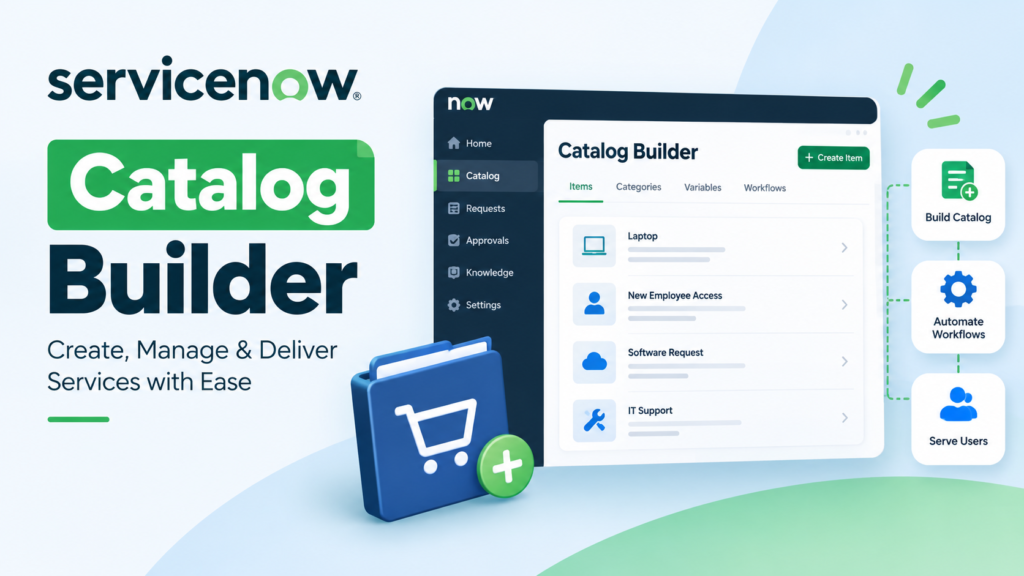
Catalog Builder in ServiceNow – Making the Creation of a Service Catalog Less Complicated Than It Looks
If you have ever had to build a service catalog using the traditional approach in ServiceNow, then you already understand just how quickly things can become overwhelming. What starts as a simple request form can quickly become a jumbled mess of variables, workflows, client scripts, and UI policies. For someone new to the platform, this can be overwhelming.
This is where Catalog Builder really helps. While not replacing the Service Catalog, it completely changes the way you approach building the catalog. Gone are the days of jumping around multiple modules and configuring everything piece by piece.
Catalog Builder brings everything together in one place. While this makes things much simpler, what really makes this tool shine is that it makes things feel more put together and less disjointed.
I remember when I first used this tool. My initial impression was that this was going to be another tool added on top of all the other features. However, after using this tool to build several catalog items, I can say that this tool really shines.
What Catalog Builder Actually Does
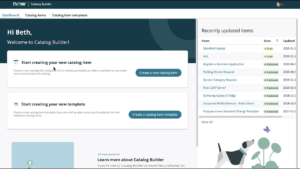
Firstly, Catalog Builder is a feature in ServiceNow that provides you with a guided interface to build catalog items. This means that instead of having to build variables and attach flows and do everything else manually, Catalog Builder does it in a more organized manner.
- Firstly, you have to specify the kind of request you are building.
- Then you have to add fields to the request.
- After that, you can group those fields and link them to a flow.
This is done in one place and can be done without having to switch between different modules. This is one of the advantages of using Catalog Builder.
Why It Feels Different from the Traditional Approach
The reason it feels different from the traditional approach is that, until Catalog Builder, creating a catalog item meant switching between multiple places within ServiceNow:
- The Service Catalog module for the catalog item itself
- Variable sets for the inputs
- Flow Designer for the automation
- UI policies for the behavior of the fields
- Scripts for customizations
Each of those parts works individually, but as a whole, it feels disjointed. You have to remember all the places and how they relate to your catalog item.
With Catalog Builder, you don’t lose those parts; you’re just using them more cohesively. Instead of thinking about each part individually, you can think about the entire request from the very beginning.
It might seem like a small change, but it can make a big difference, especially when you’re creating multiple catalog items.
The Step-by-Step Flow Feels More Natural
One of the things that stands out about Catalog Builder is how it helps you along the way without feeling like you are being forced into a certain mold or configuration.
The flow of the process tends to look like this:
- Identify the catalog item and its purpose
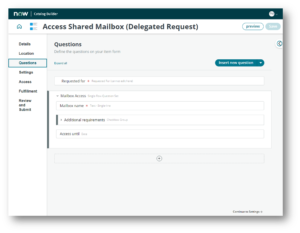
- Add questions (variables) that users will answer
- Group those questions for better clarity
- Link the request to a flow for processing
- Review everything before going live
It feels like a more logical flow than a configuration.
Variables Become Easier to Manage
Anyone who has had to work with catalog variables knows how messy things can become, especially when you have a lot of fields or dependencies involved.
Catalog Builder helps with this process by keeping this part clean and easy. You can visualize everything without having to search through several sections. This tool also helps with thinking about the user’s perspective. What do they see? What do they fill out? And how does this flow?
It’s no longer just about putting out a series of fields. It’s about designing a user experience.
Flow Integration Without the Usual Confusion
Another way Catalog Builder helps with this process is by allowing users to integrate flows into the catalog. In the past, this was done by creating a flow and then manually linking it. This works well, but sometimes understanding exactly how everything connects can be confusing unless you have some knowledge.
With Catalog Builder, this process feels more streamlined. This part of the process either involves creating a flow or attaching a flow. This helps remove confusion and helps understand what happens after a user submits a request.
This part of the process can be especially helpful for new users who are trying to grasp exactly what ServiceNow automation does.

When Catalog Builder Works Best
So, the best use cases for Catalog Builder are for standard service requests, such as:
- Requesting hardware or software
- Access requests
- Basic HR services
- Internal approvals
In these cases, it’s great for speeding up development and keeping everything organized.
However, for very complex requirements, such as those with lots of scripting, complex UI, or customization, the old approach may still be necessary.
It’s not about throwing out the old approach, but finding the right tool for the job.
A Small Shift That Improves Productivity
What I’ve found over time is that, whereas the original approach was time-saving, the real benefit of Catalog Builder is the reduction in cognitive load. You don’t have to think about what to do next or where to go. Everything is right in front of you.
This is particularly powerful if you’re working on multiple requests or with a team. It’s a more unified approach to creating catalog items, making them much simpler to maintain downstream.
Also, if someone else looks at your code, they can better understand what’s going on.
Common Mistakes to Avoid
While Catalog Builder makes things very simple, there are a few things to avoid, like:
- Adding too many questions can become confusing for users
- Not organizing the questions properly can impact the overall user experience
- Not testing the flow can lead to a broken flow
- Not considering the request from a user as well as an admin perspective
Final Thoughts
- Catalog Builder, as a feature within ServiceNow, is nothing but a reorganization of the existing concepts in a better manner.
- It brings clarity to a complex process.
- It makes learning simple for new users.
- It makes the process faster for experienced users.
- It brings a better standardization to the process for teams.
- It becomes very hard to go back to the old method of creating service requests after getting used to Catalog Builder for standard catalog items.
- It is not that the old method is bad, but the new method is simply better.
- Catalog Builder is not about adding or removing functionality but about improving the experience of interacting with the functionality.
- And at the end of the day, it is the improvements that can make the biggest impact.